
A workflow does not usually fail with a red banner. It fails by writing 600 rows one day instead of 6,000, and continuing to report success while it does it. Two weeks later someone in accounts asks why the weekly summary has been short since the 4th, and the answer is an upstream system that renamed a field called `customer_id` to `customerId` on a Tuesday afternoon.
The automation never stopped. Its trigger still fired, its steps still ran, and every execution still logged “success”. That is the quiet part.
The break is almost always an input
When a live workflow starts producing wrong results, the tool is rarely the culprit. The input changed shape and the workflow did not notice. The usual suspects:
- A form or app update that renames a field, adds a dropdown, or starts sending dates as `2026-10-04` instead of `10/04/2026`.
- A source that starts returning an empty list instead of an error. An empty list is a valid result, so the step passes and writes nothing.
- A permission change. The account that reads from the CRM loses scope on one object, and the reader returns blanks rather than failing loudly.
- Volume drift. A step that once handled 40 records now handles 4,000, times out partway, and retries from the start.
None of these throw a parse error you would see in a normal alert. The workflow keeps running in the shape it was built for, on data that no longer matches that shape.
Why nobody notices for a week
Three things hide the problem at once.
Success is silent. A working automation sends no email. The only signal most teams have is the absence of a complaint, and complaints arrive days later, after the output has been acted on.
The output still looks plausible. A summary with 600 rows instead of 6,000 still opens. A CSV missing one column still imports. Nobody eyeballs every file.
Ownership is fuzzy. The person who built the workflow left, or moved teams, and the person who depends on it assumes someone else is watching it. In a three-person operation there is often no one whose actual job is “watch the automation”.
Monitoring a workflow means watching the edges
You do not need an observability platform for a two-step Zap. You need four checks, and they all sit at the boundaries rather than in the middle.
1. Did it run at all? A heartbeat. Something that should happen every hour or every morning either happened or did not, and “did not” should reach a human. Most tools have an error path only for failures; a missed schedule or a disabled workflow produces no event at all.
2. Did it move the expected amount? Record counts are the cheapest alarm in automation. If yesterday’s run wrote 4,000 rows and today’s wrote 60, send an alert before anyone downstream reads the file. A simple threshold, or a comparison against a rolling average, catches volume drift, empty-list inputs, and permission losses in one check.
3. Was the data fresh? Every record you write should carry a source timestamp. A run that completes on stale data, because a feed stopped updating four days ago, is worse than a run that fails: it looks current and is not.
4. Did the error branch actually connect to a person? In Zapier, Make, and n8n alike, the default error path is easy to leave unconfigured. The step fails, the execution is marked in the run history, and no one is told. Point the error branch at a channel someone reads, or at a shared inbox with a rule that keeps it visible.
Four checks, one shared destination. That destination matters more than the checks themselves: if alerts land in a mailbox nobody opens, you have built a quieter version of the same silence.
Handover is the second half of reliability
The monitoring tells you something broke. The handover decides whether anyone can fix it at 9am on a Monday without the original builder.
Write down, in the same place, five things:
- What the workflow does, in one sentence, and what breaks downstream if it stops.
- Where it lives, including the account it runs under and who owns that account. Not the builder’s personal login.
- Every connection it depends on, with the scope each one needs, so a permission change can be traced rather than discovered.
- The field mapping, as a list of source field to target field. When an input changes shape, this is the page that tells you what to fix.
- The first three things to try, in order. Usually: check the last successful run, compare today’s input shape to yesterday’s, then re-run a single test record.
The test record habit is worth building on its own. Keep one known-good sample input in the workflow’s notes. When something looks wrong, run that sample through and see which step stops matching. It turns a vague “the automation is broken” into a specific step in about two minutes.
When to stop patching and rebuild
No-code is the right call for a process that changes a few times a year, connects two apps, and can tolerate a manual fallback. It starts to hurt when the workflow becomes load-bearing: revenue reporting, invoicing, client onboarding, anything with a compliance trail.
Three signs it is time for a sturdier build:
- You are maintaining more error-branch logic than business logic. When half the steps exist to handle what the other half might do wrong, the tool is no longer the constraint. The design is.
- The process needs real validation. Rejecting bad records, deduplicating, reconciling totals, and logging what was rejected is application logic, not a chain of steps.
- Someone asks what happened on a specific date and you cannot answer from the workflow history.
That is the point where a monitored service with an explicit error queue, retries with a defined policy, and a run log you can query pays for itself. It is also the point where handover stops being a document and becomes part of the deployment: monitoring, retraining, and edge-case handling are where automation value is kept or lost, not at go-live.
If the workflow you are patching has crossed into load-bearing territory, our team builds AI automation services with the monitoring and exception handling designed in from the first version, and we will tell you plainly if your current setup only needs the four checks above.
Start with one check this week
Pick your most load-bearing workflow, the one whose output someone acts on without reading closely. Add the record-count check and point it at a channel a human actually watches. That single alarm catches more real incidents than any dashboard, because it fires when the workflow is technically fine and factually wrong.
Then write the five-line handover note. Both take under an hour, and both survive the person who built the workflow leaving.
Javed Khan works at Neuraforz, where he helps teams design AI and automation systems and keep them running after launch. He writes about what actually happens once a workflow goes live.
Related Posts

AI Outbound Automation: A Simple Guide for Sales Teams
A three-person sales team in a small New York office. Two hundred leads sitting in a spreadsheet nobody has time to touch. That's the actual problem AI outbound automation is solving, not some abstract "digital…

AI Appointment Scheduling: A Guide for NYC Businesses
A dentist in Astoria kept losing three or four bookings a day and couldn't figure out why for months. It turned out to be rather embarrassing how easy it really was. While she was busy…
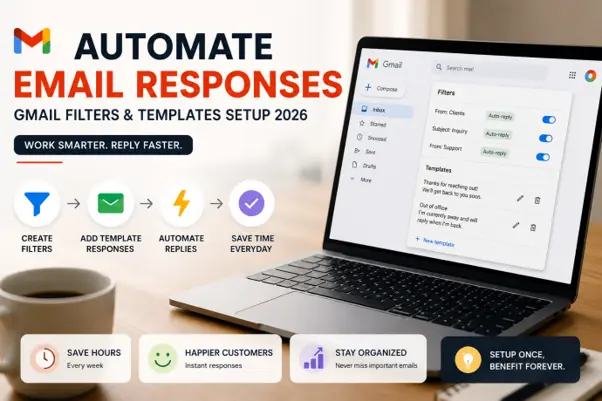
The Way to Automate Email Responses with Gmail and Get Your Life Back
This isn't what work is. It's just repeating yourself. The number is concrete and will stick with you. The phrase is too vague. This isn't what work is. It's repetitive. If you're using Gmail for…