It’s 7 p.m. A solo attorney locks up, grabs a quick dinner, then opens her laptop right back up to get through three contracts before bed. The work isn’t hard. Earlier, there simply wasn’t time for it due to the client calls, court preparation, and ongoing intake calls. It’s rarely a skill problem. It’s an hours problem. That gap is precisely where AI automation for law firms earns its keep, and it’s got nothing to do with some dramatic courtroom moment. It’s the quiet tasks, the hours that a good tool saves you at the end of a long day.
What AI Automation Actually Means for a Law Firm
There’s no single “AI automation” product you buy off a shelf. It’s really a handful of tools built to handle repetitive, rules-based work so people can spend their actual hours on judgment calls instead of data entry. Contract review software that flags an odd clause in minutes, not hours. Intake forms that sort and route new leads by themselves. Billing software logs time as the work happens instead of a paralegal trying to rebuild a whole week from memory Friday afternoon.
None of it replaces a lawyer’s judgment, for what it’s worth. It just clears out the busywork so that judgment gets used more, not less.Recent surveys peg more than half of small firms and solo practitioners as already using some form of generative AI. Two years ago that number was much smaller, and it’s not slowing down.
Where Firms Are Already Using It
A handful of use cases keep popping up once you actually start asking firms what they’re doing with this stuff.
Billing tends to get automated early too, mostly because nobody wants to do it by hand. Tools log time as work happens instead of leaving someone to reconstruct a whole week from memory later, which is exactly where billable hours quietly vanish every week.
Regulated clients push a lot of firms toward compliance monitoring next. A tool tracks legislative changes, flags whichever ones matter to a specific client, and drafts a short summary before anyone on staff even opens it up.
And legal research is shifting too, slower than the rest but happening. A junior associate used to burn an afternoon digging through case law by hand. Now a research tool pulls relevant precedent in minutes, pointing toward where the strongest arguments already sit. The associate still reads every case and decides what matters. The tool just trims a long list down to a short one worth reading closely.
The Ethics and Compliance Side
Here’s the part nobody gets to skip.Confidentiality of the client is not something which can be compromised just because the tool is conveniently placed. Prior to using any document in AI, it has to be ensured that it is going to someplace safe and not training some other external model. Free consumer chatbots are usually the wrong home for anything tied to a real client matter.
There’s a professional duty of competence tangled up in this too. The American Bar Association has said plainly that lawyers need to understand the tools they’re using well enough to explain and stand behind whatever comes out of them, not just trust it blindly because it sounds confident. A drafted clause, a summarized deposition, whatever it is, still needs a human reading it before it reaches a client or a courtroom.
Firms building a compliance program around this might find the NIST AI Risk Management Framework worth a look, even though nobody wrote it with law firms specifically in mind. It’s a practical way to think through where these tools can go sideways before they actually do. The American Bar Association’s guidance on generative AI is worth reading too, since it speaks directly to what lawyers owe clients once these tools enter the picture.
How to Start Without Overhauling Everything
Pick one painful task, not five at once. Document review, intake, or billing, whichever eats the most hours for the least payoff at your firm specifically.
Then run an actual pilot using real work, not some polished demo. Two or three weeks is usually plenty to tell whether a tool fits how your team genuinely operates or if it just looked impressive during the pitch.
Get buy-in from whoever’s actually going to open this thing every day. Not just the partner signing off on the invoice. A tool nobody on staff wants to touch gets abandoned inside a month, and that’s a subscription paying for absolutely nothing.
Once that first tool actually sticks, and you’ll know because people stop complaining about it, move on to the next painful task. Try to automate five things at once and you’ll likely end up with three half-used platforms and a staff that’s quietly checked out.
Common Mistakes Firms Make
Grabbing whatever software a competitor mentioned at some conference, without mapping your own workflow first, happens constantly. Map the process before you shop for a tool, not after.
Skipping staff training does nearly as much damage, even with good software. The team isn’t given an explanation as to how the software fits into their schedule, and so it remains unused or used incorrectly. A fifteen-minute tutorial could have spared the company many weeks of headache.
However, perhaps the worst habit, certainly on this list, is to regard the results of artificial intelligence analysis as gospel. No piece of writing, no matter what kind of machine has worked with it, should go out to a client without someone looking at it. The software works well as a preliminary step, not as a conclusive one.
Tools Worth Knowing About
Contract review tools like Ironclad and Lawgeex are built specifically to flag risky clauses fast. Intake and client communication platforms, Clio Grow and Lawmatics among them, handle the front door of a firm. For billing, software baked into practice management platforms like Clio or MyCase logs time automatically as work happens, cutting down that end-of-week scramble everyone dreads. On the compliance side, something like Compliance.ai tracks regulatory shifts across jurisdictions, which matters most for firms working with clients in finance, healthcare, or anywhere else the rules shift often.
None of these fit every firm the same way. A five-attorney family law practice doesn’t need what a twenty-person regulatory compliance firm needs, and picking a tool because a competitor uses it is exactly how software ends up sitting unused six months later.
If you’d rather have someone map out what actually fits your firm instead of guessing off a list like this one, AI Automation NYC works through that kind of setup with law firms directly, starting with whatever task is burning the most hours right now. Their team handles the setup and staff training piece too, which tends to be where a lot of these rollouts quietly stall out.
Wrapping Up
AI automation for law firms was never really about replacing lawyers or cutting corners. It’s about getting back hours that used to disappear into tasks nobody went to law school to do. Start with one workflow. Run it as a real pilot. Get the team actually using it before adding anything else on top. Firms that take this slow, deliberate approach tend to stick with whatever they pick. The ones that rush usually end up right back where they started, just with a few extra subscriptions on the credit card statement.
Not sure where to even start? AI Automation NYC can walk through your current workflow with you and point to the one task actually worth automating first.
FAQ
Is AI automation safe for confidential client information?
It can be, but only with the right tool. Check whether the vendor trains its models on client data and where that data actually sits before uploading anything tied to a real matter. Free consumer AI tools are usually the wrong choice for anything confidential.
Will AI automation replace paralegals or associates?
Not really, not in most firms. It tends to shift their time toward client communication and case strategy instead of repetitive data entry. The tool handles the first pass. A person still checks the output every time.
How much does AI automation cost for a small law firm?
It varies a lot depending on the tool and firm size, anywhere from an add-on inside practice management software to a standalone platform with its own monthly bill. Starting with one task keeps the initial cost manageable.
What’s the easiest task to automate first?
Time keeping and billing, usually, since the tools are mature and the payoff shows up fast in recovered billable hours. Document review and intake automation tend to take longer to tune properly.
Related Posts
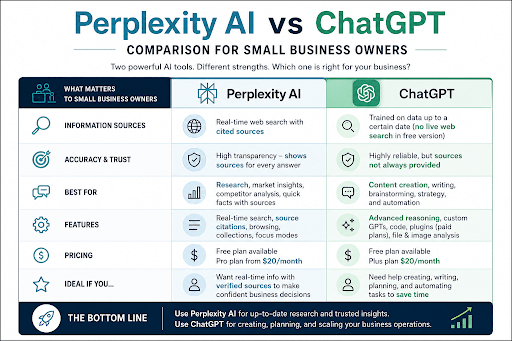
Perplexity AI vs ChatGPT: Which One Should You Use?
Picture your morning. Before lunch, you need two things done. First up: today's minimum wage in your state, since you're hiring someone next week. Second: a polite email for a customer who's three weeks behind…
AI Implementation Services in NYC: A Practical Guide for Businesses
An owner of a bakery business in Astoria spends two hours each evening manually entering email orders on a spreadsheet.Down in Midtown, a law office pays a paralegal to retype the same client intake form…

ChatGPT SEO: A Simple Guide for Small Businesses
Picture a florist in Queens. One slow Tuesday she types "write ten blog posts about wedding flowers" into ChatGPT and gets them back in about four minutes. She posts to everyone. Two months on, the…