Ever texted a business and heard back three days later? Annoying, right? Your own visitors feel the same way when they land on your site at 10 p.m. with one quick question and nobody around to ask.
You can’t answer at 10 p.m. Nobody expects you to. A website AI chatbot can, though. It handles the late-night “can I park there?” stuff while you sleep. Below, I’ll walk through what it is, how to set one up, and where it goes sideways.
So what is a website AI chatbot, really?
It’s the little chat bubble in the corner of a page. You type something, and it types back. Whether the reply is any good depends on how somebody set it up.
The old ones ran on scripts. Press 1 for hours. Press 2 for prices. Type “Yo, you open late?” and you will just receive “Sorry, try again.” The chatbot on the website recognizes your poorly typed request. It includes typos, too. It is more like texting a colleague than filling in a form.That’s the big shift with an AI chatbot for website visitors.
How does a website chatbot work, anyway?
Let’s call upon a plumber. You give the bot the location of your place of business, how much you charge for emergencies, and the type of jobs you refuse to take. While most software programs need only the URL of your website or some documents from you and then gather the rest on their own, training becomes simpler.
Once done, when someone visits and asks, “Do you work on weekends?” the bot takes a look at your data and answers accordingly. The good ones stay close to your info. The bad ones drift and start inventing things, which is a mess you don’t want.
One more thing I’d look for: can a real person jump into the chat? If a website AI chatbot can’t hand off to a human, I’d keep shopping.
Do you really need a website AI chatbot?
Maybe you don’t. If you get two emails a week, skip it. But say you run a bakery in Brooklyn. Every morning it’s the same stuff. Open today? Is the banana bread vegan? Any cakes left for Saturday? Meanwhile, you’re up to your wrists in dough, and the phone’s ringing.
A website AI chatbot takes the bread question in seconds, and you never stop kneading. Somebody wants that cake? The bot grabs their name and email, and you reach out after the rush.Those emails are called leads. It’s just a word for people who might buy. I think owners underrate them. A lot of visitors won’t touch a contact form because it feels like homework. A chat bubble feels more like asking a person.
AI Automation NYC has guides on AI tools, like the website ai chatbot, if you want to read more first.
What can an AI customer service chatbot do?
Boring stuff, mostly. Opening hours. Shipping times. Whether you take returns. Hook it to your calendar, and it can even book a basic appointment, which helps a dentist’s office in Queens, where half the questions are about parking.
It’s weaker on emotional stuff. A customer who’s upset about a ruined order doesn’t want a polite robot. They want a person who says sorry. And the bot can’t know what you haven’t told it. Change your prices in March, forget to update it, and it’ll cheerfully quote February’s.
So I’d keep a website AI chatbot with easy questions and send anything heated to a human.
How to add a chatbot to a website (and what it costs)
Small business owners tend to treat this like a huge project. It isn’t. A chatbot for a small business can start tiny.
Pick one job. Just hours and prices, maybe. Then gather the pages the bot should read, and actually read them yourself first. Old info goes in; old info comes out.
Costs vary. Lots of tools have a free plan with limits, and paid plans on popular platforms often start near $30 a month. Custom work costs more. I’d try free first, honestly, and only pay once you know the bot is getting used.
To put it on your site, most tools give you a little piece of code, called an embed code. You paste it into your pages. On WordPress there’s usually a plugin, which is even easier. It’s often just minutes of work.
Once it’s live, go poke at it. Ask it something silly. Ask it something it shouldn’t know. For the first month, check the real chats once a week and fix the answers that are missed. A website AI chatbot is a bit like a new hire that way. It needs some feedback.
Is a website AI chatbot safe to use?
Fairly safe, provided there are a few guidelines followed. Make sure that users know that this is a bot. There has been a warning issued by the Federal Trade Commission to companies not to use chatbots to deceive people, and a fake name will attract trouble.Also, don’t let it promise things you can’t back up, like refunds you don’t offer.
One more thing. Put a line in the chat window asking people not to share credit card numbers or passwords.
For a deeper read on AI risk, the National Institute of Standards and Technology has a free, voluntary AI Risk Management Framework, made for organizations of any size. It’s long. You don’t have to read all of it.
Start small.
A website AI chatbot won’t rescue a business with bigger problems. But it will take a pile of repeat questions off your plate, and in a place like New York, where nobody waits around, that matters.
So start with one job. Make it rough. A bot that answers five questions today beats a perfect one you launch next year. When you want company, AI Automation NYC has beginner guides for building your first website, AI chatbot, and other time-saving tools. Go try it this week.
Frequently asked questions
What is the best AI chatbot for a website?
Depends on you. Some applications are meant for e-commerce stores, others are intended for customer service departments, and some even for the smallest stores interested in answering questions regarding business hours. Choose an application that you can learn on your own site, make sure it will pass a call to a human operator and begin with a free version.
Can I add a chatbot to my website for free?
Yes, often. Many tools have free plans, usually with a cap on chats per month. That’s good enough for a test run.
How much does a website AI chatbot cost?
Anywhere from free to pricey, depending on how custom you go. Many popular tools start near $30 a month. Don’t forget your own time, since someone has to keep the info fresh.
Is an AI chatbot different from a regular chatbot?
Very. A regular one follows a script with buttons. An AI one understands normal sentences and writes its own replies based on your content.
Will a chatbot replace my staff?
No. It handles the repeat questions. People still handle the complaints and the weird requests.
Related Posts
Generative Engine Optimization: A Simple Guide for Small Business
A friend of mine runs a small bookkeeping business out of Astoria. She is good with numbers but terrible at marketing, which is the usual story. Last month she asked ChatGPT to recommend a bookkeeper…

HubSpot Automation Services: What They Do and How to Choose
The lead completes your form at 4:55 pm on Friday. No one sees it until Monday morning. But by that time, they had already gotten in touch with the competition, who responded within ten minutes.…
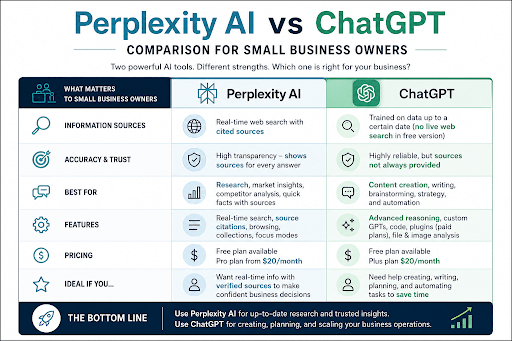
Perplexity AI vs ChatGPT: Which One Should You Use?
Picture your morning. Before lunch, you need two things done. First up: today's minimum wage in your state, since you're hiring someone next week. Second: a polite email for a customer who's three weeks behind…